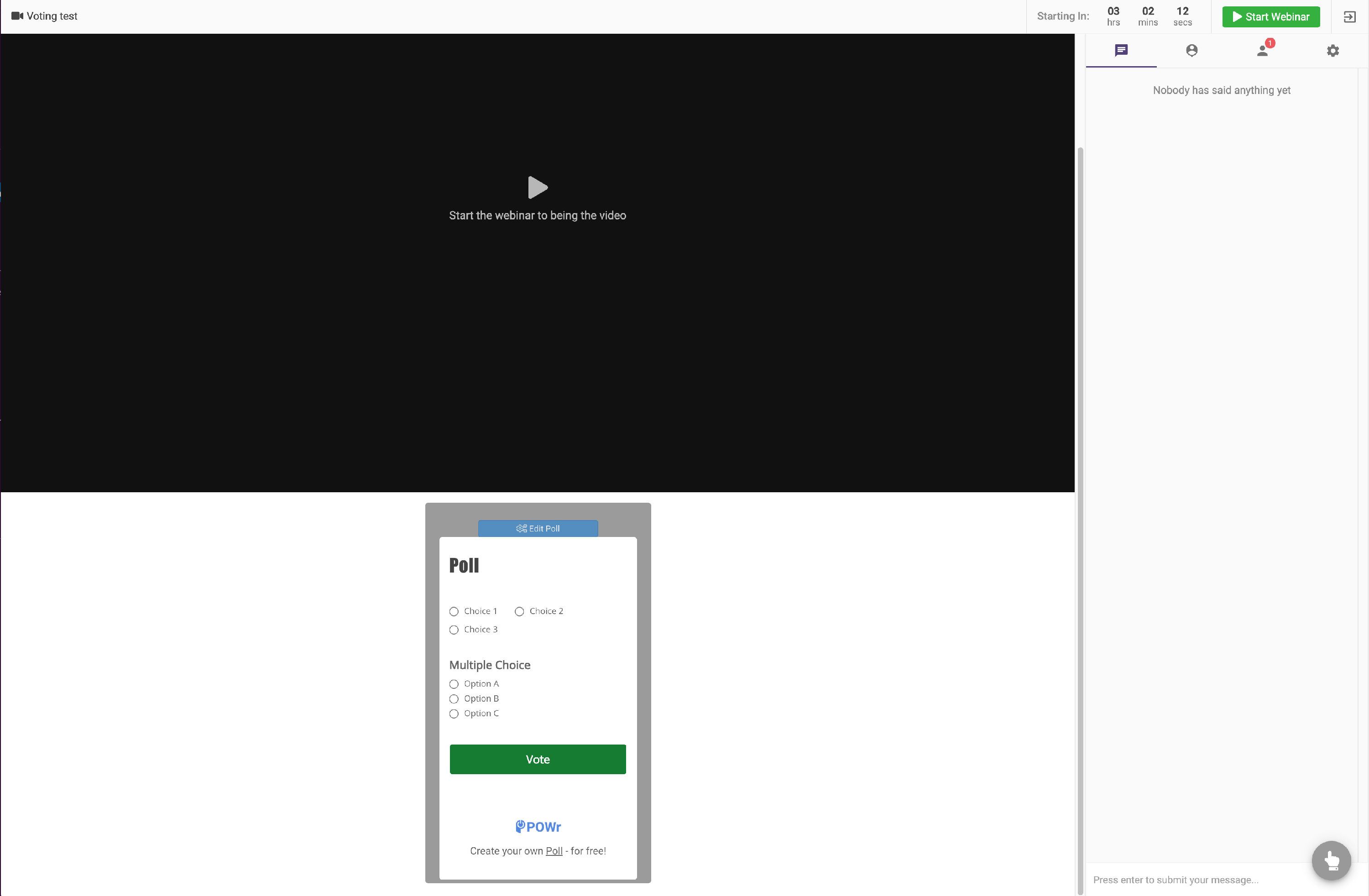
How to add Voting or Polling to Webinar
We know Voting & Polling is an Important feature when you host a webinar having your team all at once. In WebinarPress you can surely integrate Polling or Voting by using below mentioned method.
You can add polling by using a third party tool like https://www.powr.io/ which provide polls that can be embedded on the site. You need to create an account on https://www.powr.io/ and then create a poll. They provide embedding code like this:
<div id="f8cafcf8_1591951491"></div><script src="https://www.powr.io/powr.js?platform=html"></script>
This embedding code can be added in to the CTA in the Webinar Page
- To start adding the embedded - You will have to go to Webinar page as shown in screen below
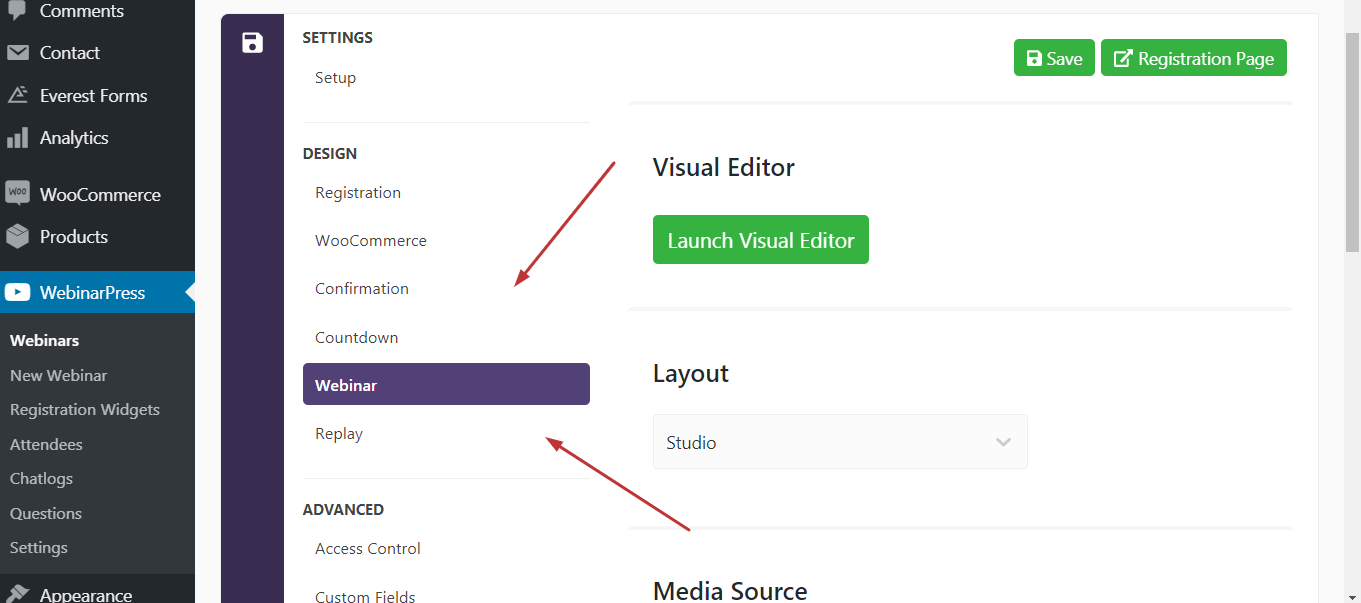
- Then Select Launch Visual Editor.
- Then Go to " Call to Action" Section & have settings configured just like shown below.
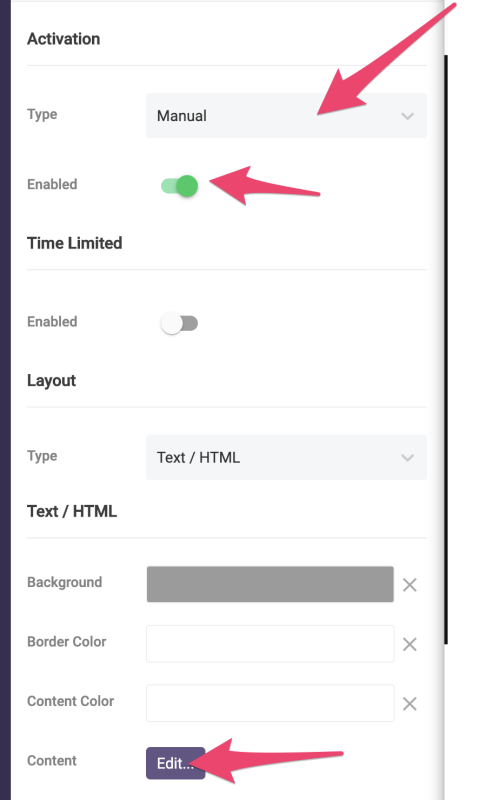
- Once you click edit - then you will see the text editor where you will have to add the embedded code which you get from www.powr.io/
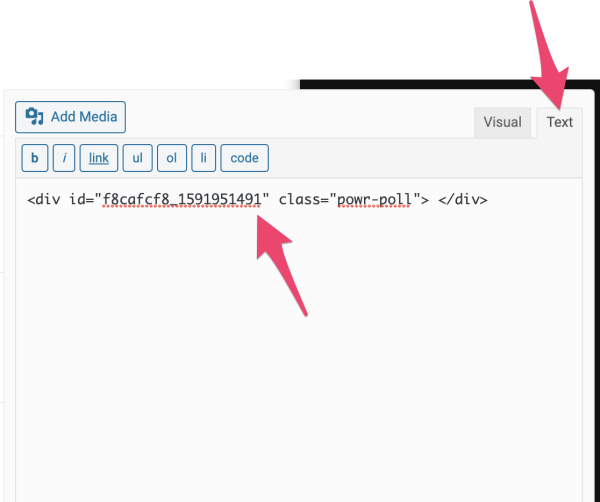
- Embed code in Scripting tag just like shown in image below.

- Final Result